
Let me just start by saying this is not a sponsored post, I’m just going to share a tool that I use in my own business (and LOVE) out of the kindness of my heart and a commitment to helping you work smarter, not harder ☺.
If you haven’t heard of Loom, please look it up. The short explanation is that Loom is a plug-in that you can use with your internet browser that allows you to record your screen and a video of yourself (if you choose). This free tool allows you to quickly send these videos via email to anyone. Cool, right? Here’s how it looks:
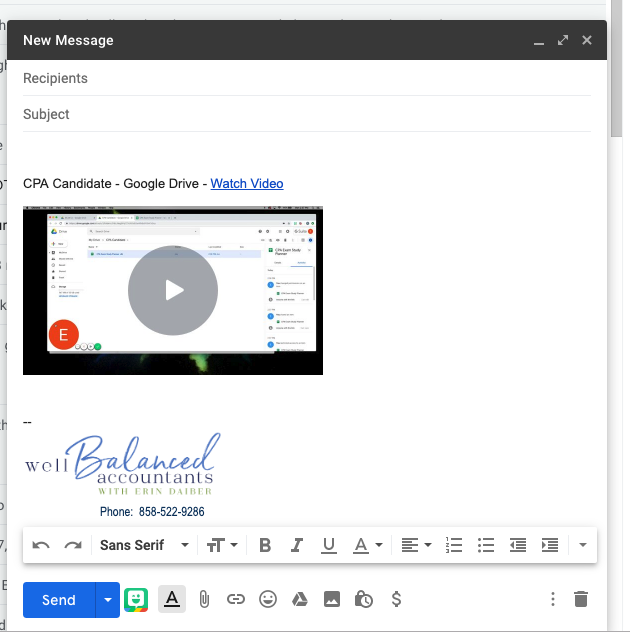
You might be thinking, “Ok, this sounds nice- but when will I use this in my accounting practice”? Let me count the ways…
I use videos like this to help my clients navigate through their client portal, which in my case is Google Drive. I have also used videos to help train my team on specific programs and tasks, like how to set up a new customer in Quickbooks. Loom allows you to record a video once, save it and send it to as many people as you wish.
Here are a few ways my clients have implemented Loom into their firms:
- Instructional video about how to set up an account, navigate and add documents to your client portal (how many phone calls could have been avoided with this??)
- Instructional how-to videos for accessing and navigating your specific client software for use externally with clients or internally with new staff
- Instructional videos for internal staff- this is particularly a great tool for tasks where your staff won’t have regular practice, such as quarterly or annual activities. This way, you’re able to train them once, record it as you’re training them in real time, and they have a reference to come back to the next time they need it. Note- this is not a replacement for in-person OTJ training. Think of it like icing on the cake!
These are just a few quick ways that my clients and I have implemented this tool into our daily lives. It’s been a huge time saver! I hope you love it too!
{For more information, visit www.loom.com}
I would love to hear from you! Let me know how you’re using Loom in your practice.
Email me: erin@wellbalancedaccountants.com